Hostgroup Capacity Planning Linear Regression Memory
Introduction
The Hostgroup Capacity Planning Linear Regression Memory report helps in analyzing and predicting the memory usage trends of host groups over a specified period. This report uses linear regression to forecast future memory requirements, aiding in effective capacity planning.
Step-by-Step Guide
Step 1: Define Report Details
- Report Name: Enter a name for your report.
- Template Name: Select the appropriate template for the report.
- Template Category: Choose the category that best fits your report template.
- Click Next to proceed.
 Figure: Step 1 - Define Report Details
Step 2: Define Parameters
- Hostgroup: Select the host group you want to analyze.
- From Date: Specify the start date for the analysis period.
- To Date: Specify the end date for the analysis period.
- Select Month: Choose the month for which you want to generate the report.
- Host: Select the specific host(s) within the host group.
- Service Inputs: Provide any additional service-related inputs required.
Click Next to finalize the parameters.
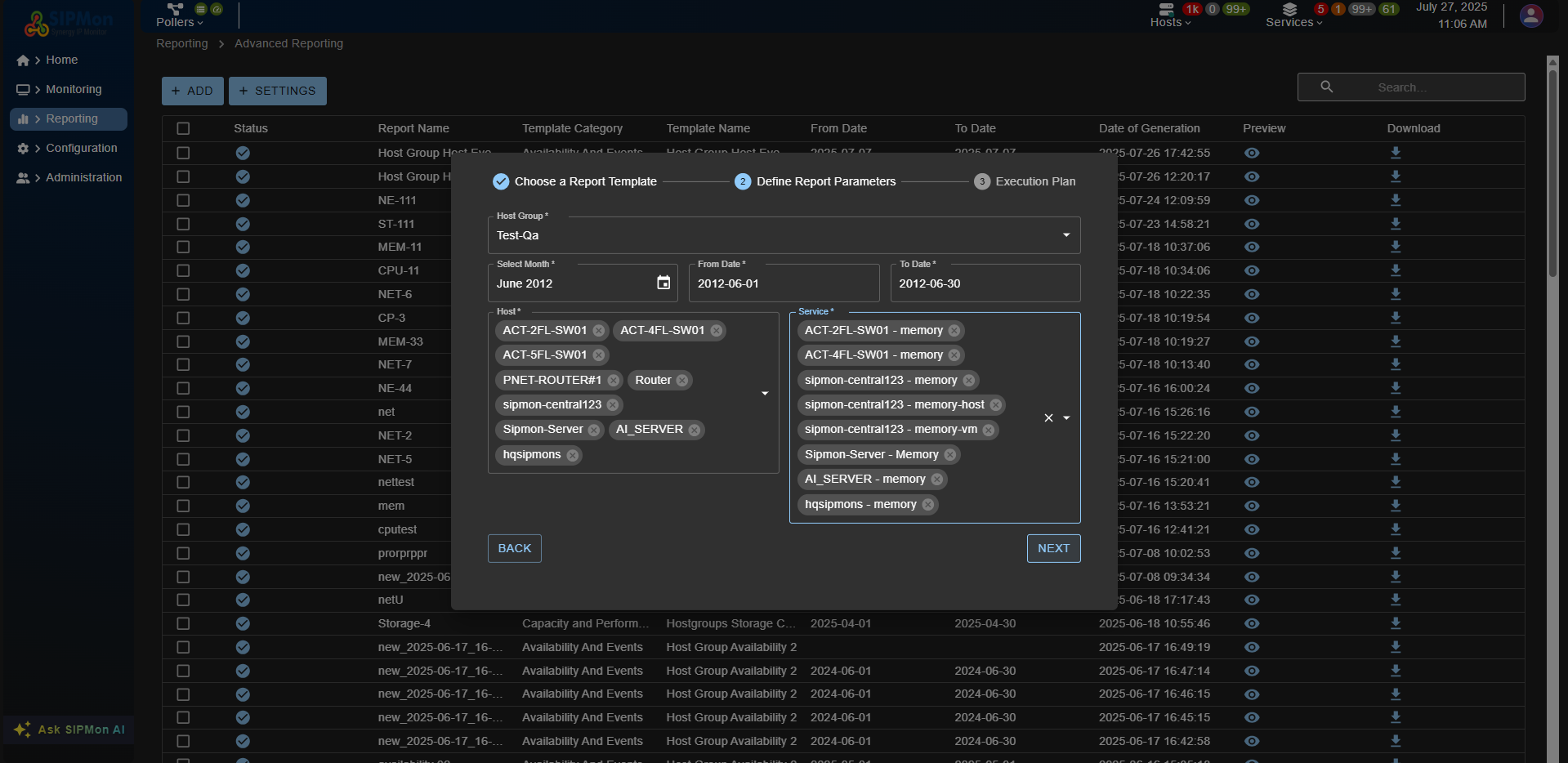 Figure: Step 2 - Define Parameters
Step 3: Execution Plan
The system will automatically generate an execution plan based on the parameters provided.  Figure: Step 3 - Execution Plan
Step 4: Save and Generate Report
- Review all the entered details and parameters.
- Click Save to store the report configuration.
- The report will be generated based on the defined parameters and execution plan.
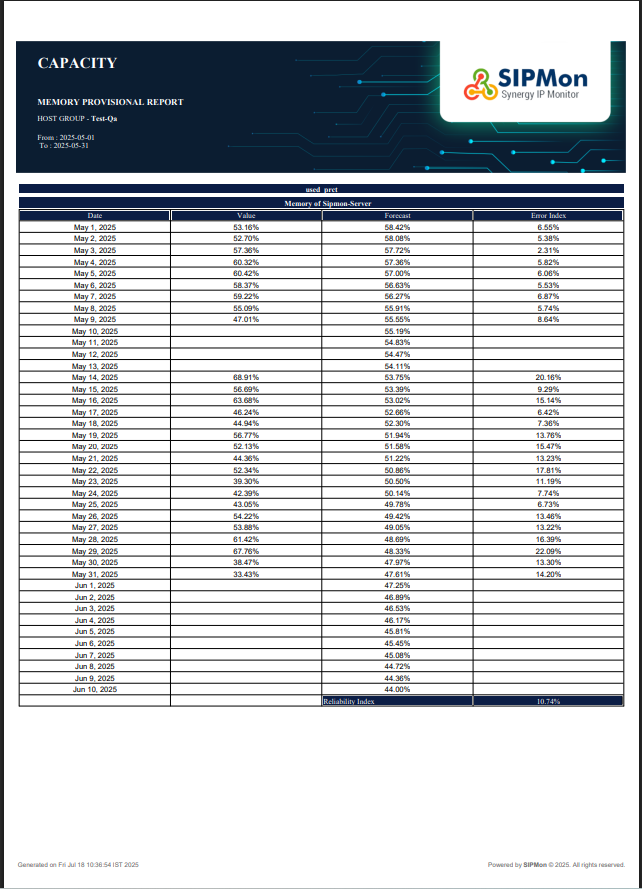 Figure: Step 4 - Save Report
By following these steps, you can successfully create and generate the Hostgroup Capacity Planning Linear Regression Memory report.